
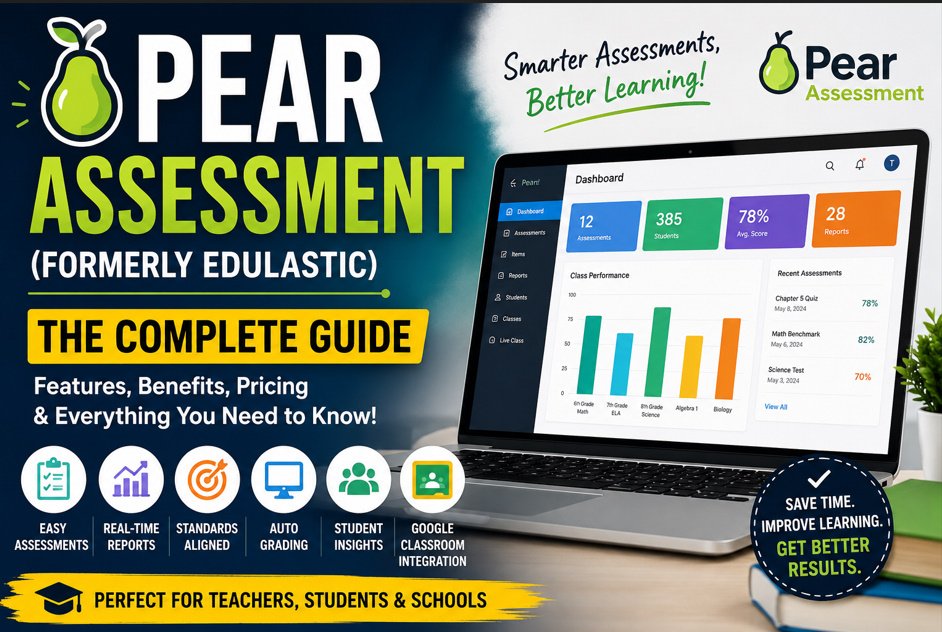
Pros and Cons of Pear Assessment
As classrooms continue to adopt digital learning tools, educators need reliable platforms to create assessments, monitor student progress, and provide meaningful feedback. Pear Assessment, formerly known as Edulastic, has become a popular solution for schools seeking an efficient online assessment system.
Pear Assessment allows teachers to design quizzes, assignments, and tests while automatically grading many question types and generating detailed performance reports. Students benefit from interactive assessments and timely feedback that supports continuous learning.
Like any educational technology, Pear Assessment has both strengths and limitations. Understanding its advantages and disadvantages can help teachers, students, and schools decide whether it is the right platform for their needs.
1. What Is Pear Assessment?
Pear Assessment is a cloud-based assessment platform that helps teachers evaluate student learning through digital quizzes, tests, and assignments. It supports formative, summative, benchmark, and diagnostic assessments, making it suitable for a wide variety of educational settings.
Teachers can create their own assessments or choose questions from a large standards-aligned question bank. Students complete assessments online using computers, Chromebooks, or tablets, while teachers receive instant reports on student performance.
Key Features
- Online quiz creation
- Automatic grading
- Interactive question types
- Real-time student monitoring
- Standards-aligned assessments
- Integration with Google Classroom and other learning platforms
Its combination of flexibility and data analysis has made it a popular choice among educators.
2. Pros of Pear Assessment
Pear Assessment offers several benefits that simplify teaching and improve classroom assessment. One of its greatest strengths is the ability to save teachers time while providing detailed information about student learning.
The platform enables educators to identify learning gaps quickly, personalize instruction, and monitor student progress throughout the school year.
Major Advantages
- Saves time with automatic grading
- Provides instant feedback for students
- Large standards-aligned question bank
- Easy assessment creation
- Detailed performance analytics
- Supports formative and summative assessments
- Works with Google Classroom
- Accessible from multiple devices
- Encourages data-driven teaching
- Suitable for classroom and remote learning
These features help teachers spend less time grading and more time supporting student learning.
3. Benefits for Teachers and Students
Pear Assessment provides value to both educators and learners. Teachers gain access to powerful reporting tools that simplify classroom management, while students receive faster feedback that helps improve academic performance.
Students can identify mistakes immediately, review challenging topics, and develop stronger study habits. Teachers can use performance data to adjust lessons according to student needs.
Teacher Benefits
- Faster grading
- Better classroom insights
- Easier lesson planning
- Progress tracking
- Flexible assessment options
- Reduced paperwork
Student Benefits
- Immediate results
- Interactive assessments
- Personalized learning support
- Better exam preparation
- Increased engagement
- Improved confidence
These shared benefits create a more productive learning environment for everyone involved.
4. Cons of Pear Assessment
Although Pear Assessment is a powerful educational tool, it is not without limitations. Some advanced features are only available through paid subscriptions, which may be a challenge for individual teachers or schools with limited budgets.
Because the platform is entirely online, students also need reliable internet access and compatible devices. Technical problems such as slow connections or browser issues can occasionally interrupt assessments.
Common Drawbacks
- Premium features require payment
- Dependence on internet connectivity
- Device availability may vary
- Learning curve for new users
- Some question types require manual grading
- Technical issues can affect online testing
Understanding these limitations helps schools prepare appropriate solutions before implementation.
5. Is Pear Assessment Worth Using?
For most schools and teachers, the advantages of Pear Assessment outweigh its disadvantages. Its automated grading, detailed analytics, and interactive assessments significantly reduce administrative work while improving instructional quality.
Schools that already use Google Classroom or other learning management systems often find integration straightforward, making classroom management even more efficient.
Best for
- Elementary schools
- Middle schools
- High schools
- Remote learning
- Hybrid classrooms
- Standards-based instruction
Teachers who regularly assess student learning will likely benefit from its comprehensive reporting and assessment tools.
6. Tips for Getting the Best Results with Pear Assessment
Using Pear Assessment effectively involves more than simply assigning online quizzes. Teachers should regularly review assessment reports, provide meaningful feedback, and use student performance data to improve instruction.
Students should complete assessments honestly, review incorrect answers carefully, and use feedback to strengthen their understanding of each subject.
Best Practices
- Create clear assessment objectives
- Use different question types
- Review analytics regularly
- Provide timely feedback
- Encourage student reflection
- Update assessments based on classroom needs
Following these practices helps maximize the educational value of the platform.
Frequently Asked Questions
Is Pear Assessment free?
Pear Assessment offers a free version with essential features, while premium subscriptions provide additional reporting, collaboration, and administrative tools.
What are the biggest advantages of Pear Assessment?
Its biggest strengths include automatic grading, detailed analytics, interactive assessments, and seamless integration with classroom technology.
What are the biggest disadvantages?
The main limitations include reliance on internet access, paid premium features, and occasional technical challenges during online assessments.
Is Pear Assessment suitable for all subjects?
Yes. Teachers can use Pear Assessment for mathematics, science, language arts, social studies, and many other subjects by creating customized assessments.
Conclusion
Pear Assessment has become one of the leading online assessment platforms because it simplifies testing, grading, and performance analysis for educators while creating a more engaging learning experience for students. Its powerful reporting tools, automatic grading, and interactive question types make it an excellent resource for both classroom and remote learning.
Although it has a few drawbacks—such as requiring internet access and offering some advanced features only through paid plans—its overall benefits make it a worthwhile investment for many schools and educators. By understanding both the pros and cons of Pear Assessment, teachers and administrators can make informed decisions about integrating it into their instructional practices and improving student learning outcomes.